AI Product Photo Editor for Ecommerce Images
Turn plain product photos into polished listing, ad, and social visuals.
Use image2img to edit product photos with AI: upload a product image, describe the scene you need, choose a format, and continue to generation in the workspace.
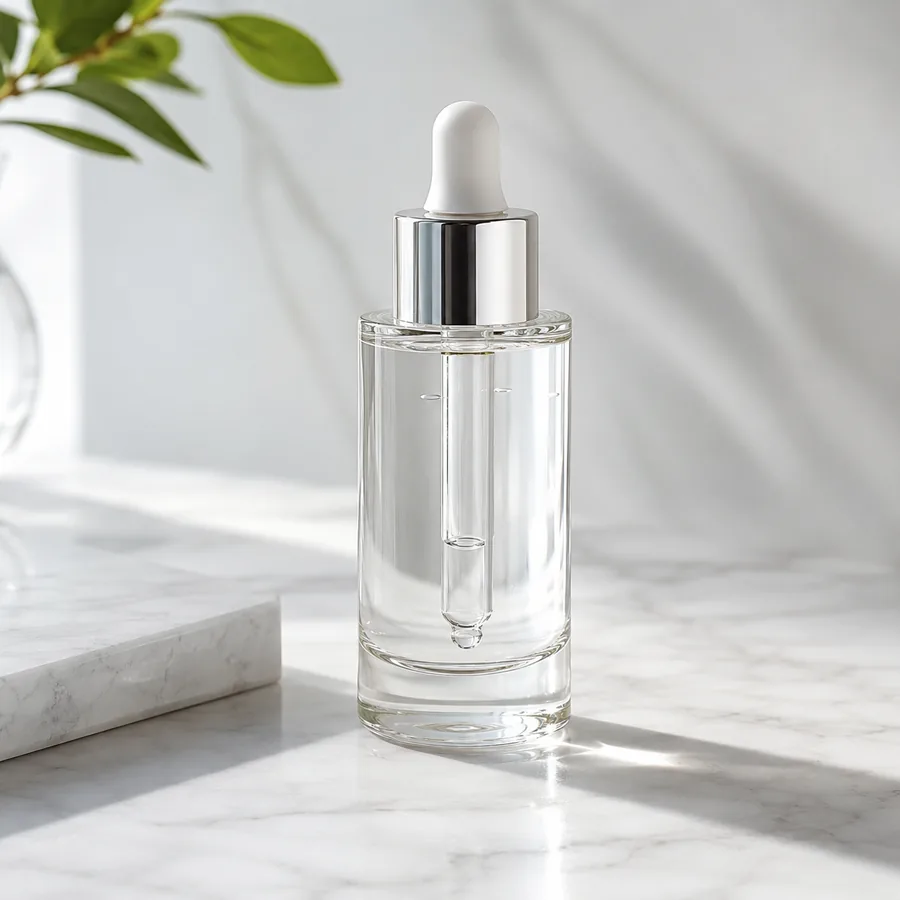
Marketing-ready product image
Start with your product image
Continue in the workspace to upload, generate, save, and reuse assets.
Upload a product photo or reference
JPG, PNG, WebP
Prompt direction
Place this skincare bottle on warm marble with soft window light, clean shadows, and space for an ecommerce headline.
Output
Direct answer
An AI product photo editor helps sellers improve existing product images by changing scenes, backgrounds, lighting, crops, and campaign formats from a product reference. It is best for turning supplier photos, phone shots, or catalog images into ecommerce visuals for listings, ads, storefronts, and social content.
Edit product photos for the work sellers repeat every week
Refresh listing visuals
Turn supplier photos or simple catalog shots into clean ecommerce images that look ready for a product page.
Create ad-ready variants
Generate multiple visual directions for paid social, launch promos, and seasonal campaigns without booking a new shoot.
Keep assets reusable
Move finished images into the workspace so teams can iterate from previous prompts, ratios, and references.
Choose the product photo edit you actually need
Start from an existing image and describe the commercial job it has to do.
Supplier photo upgrade
Use a basic manufacturer or catalog image as the product reference, then create a cleaner ecommerce scene with controlled light and fewer distractions.
Background and scene change
Move a bottle, shoe, bag, device, or package into a studio, tabletop, kitchen, bathroom, desk, or seasonal context while keeping the product central.
Campaign format adaptation
Turn one product reference into square, portrait, and wide creative directions for listing images, ads, reels covers, and landing-page sections.
Product photo editing use cases
Build each page around a clear ecommerce task instead of generic image editing.
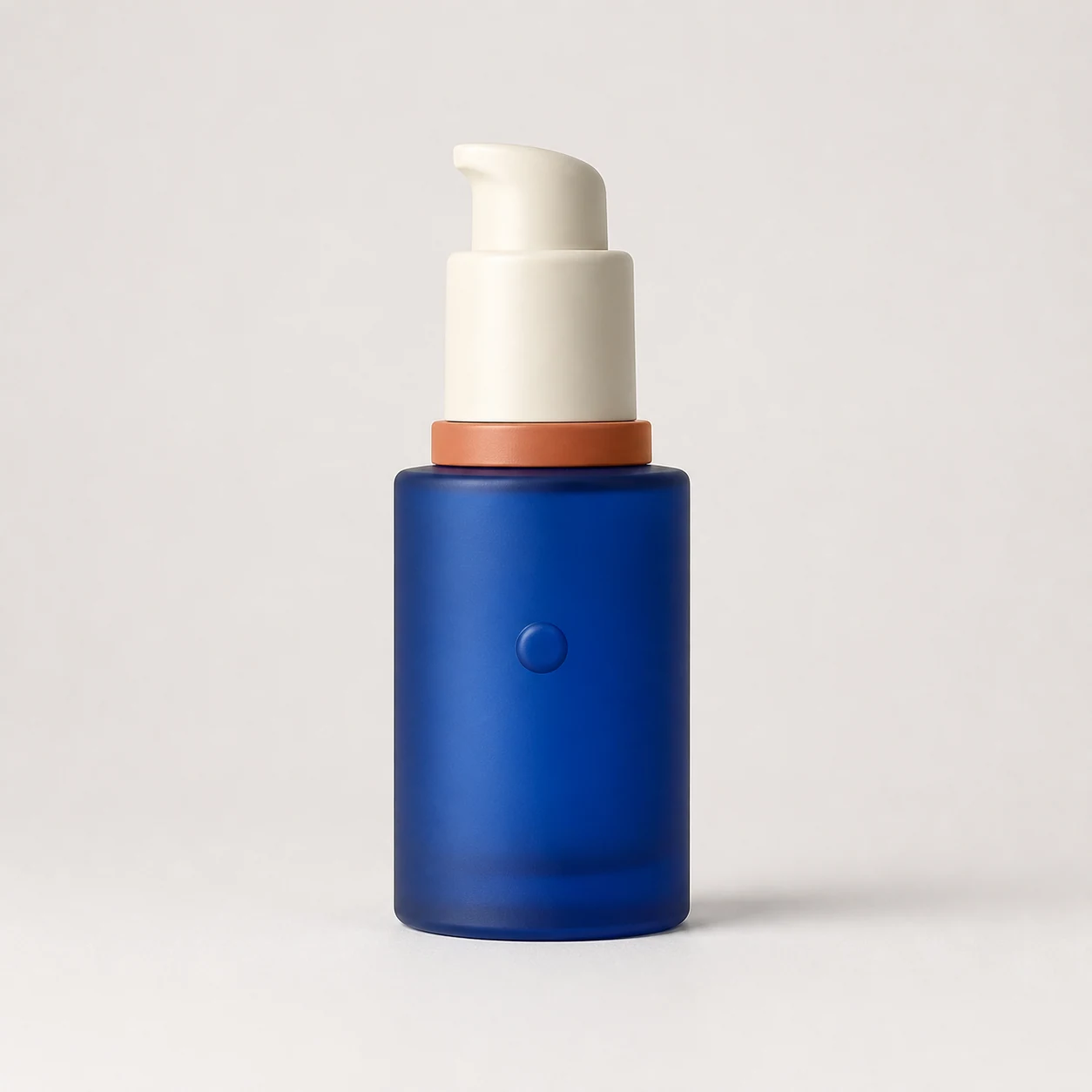
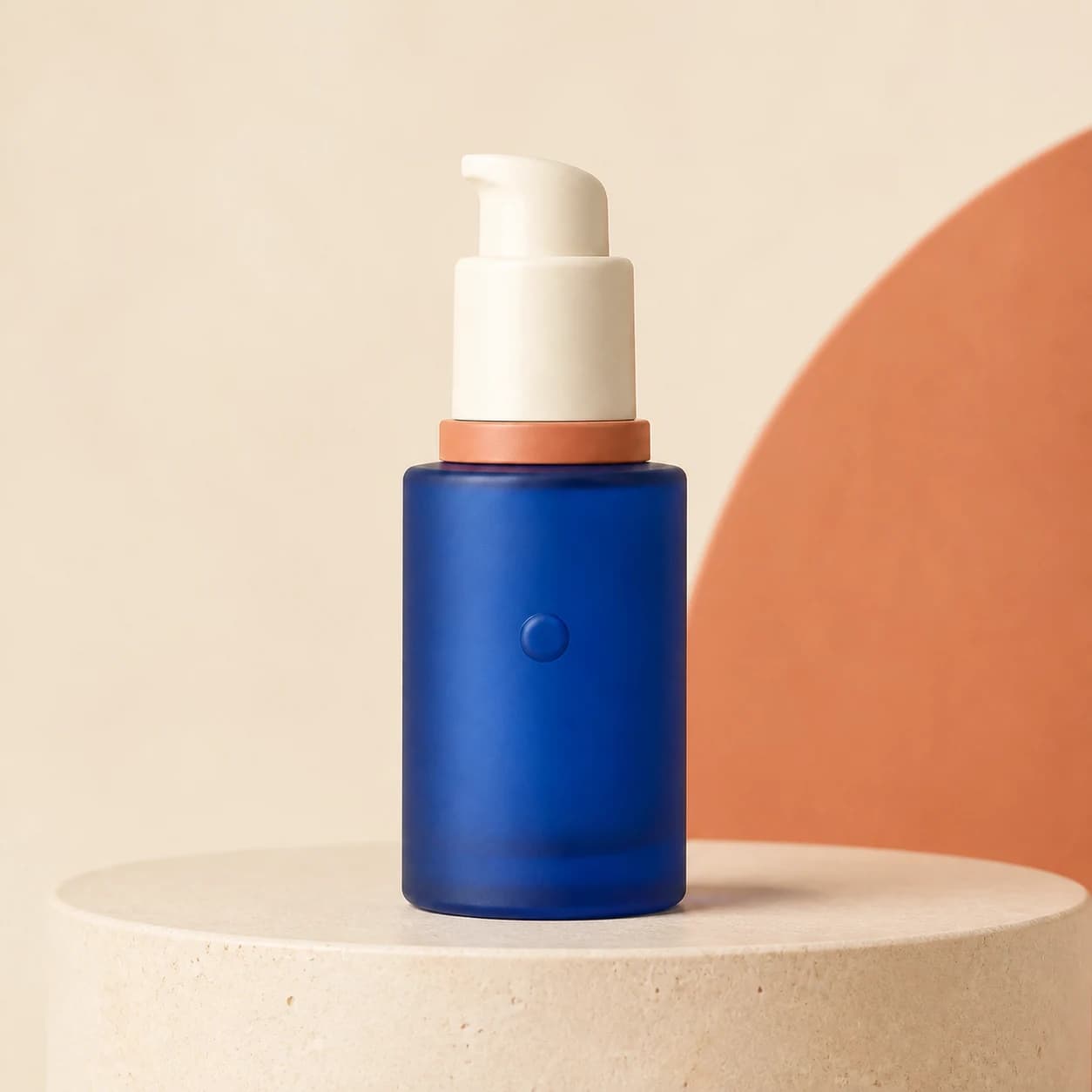
Supplier photo to studio scene
Start from a plain supplier photo and generate a clean studio scene that keeps the product shape, label, and proportions recognizable.
Prompt used
Use the uploaded supplier photo as the exact reference. Create a premium square studio photo with controlled softbox lighting, crisp reflections, a clean shadow, and neutral plinths. Preserve the package shape, colors, proportions, and front details. Do not add text or logos.
Product photo editor prompt examples
Use prompts that name the product, scene, lighting, channel, and space for copy.
Studio scene edit
Use the uploaded supplier photo as the exact reference. Create a premium square studio photo with controlled softbox lighting, crisp reflections, a clean shadow, and neutral plinths. Preserve the package shape, colors, proportions, and front details. Do not add text or logos.
Lifestyle scene edit
Use the uploaded supplier photo as the exact reference. Place the product in a refined bathroom vanity scene with soft natural window light and minimal props. Preserve the package shape, colors, proportions, and front details. Do not add text or logos.
Campaign creative edit
Use the uploaded supplier photo as the exact reference. Create a bold square campaign composition with dramatic controlled lighting and premium art direction. Preserve the package shape, colors, proportions, and front details. Do not add text or logos.
Storefront banner
Turn this product photo into a wide Shopify collection banner with a clean tabletop scene, subtle brand colors, and space on the left for promotional copy.
How the editor workflow works
A focused path from upload to product image output.
Upload the product or reference
Start from the image that needs to stay recognizable: a SKU photo, a packaging shot, or a brand reference.
Describe the edit
Tell the generator what scene, lighting, surface, angle, or campaign format you need.
Generate and reuse
Continue in the workspace to generate final images, save the best result, and iterate for more variants.
Best fit and limits
Best for
- Improving existing supplier, phone, catalog, packaging, or brand-reference photos.
- Creating more commercial image variants before a listing launch, ad test, or seasonal campaign.
- Testing different scenes, surfaces, lighting styles, and aspect ratios from one product reference.
- Small teams that need repeatable product-image output without a full studio workflow.
Not best for
- Replacing final legal, marketplace, or brand-compliance review before publishing.
- Guaranteeing that every tiny label, texture, or product detail remains unchanged without inspection.
- Generating official product claims, certification marks, or regulated packaging details from imagination.
- Editing images where the source product is blurry, hidden, or too small to serve as a reliable reference.
Check the result before you publish
AI can speed up product image iteration, but final ecommerce assets still need human review.
Product identity
Confirm the shape, label, packaging, color, and key details still match the real product.
Channel fit
Check that the crop, background, and aspect ratio fit your marketplace, Shopify section, ad placement, or social format.
Text space
Leave clean negative space when the image will carry a headline, offer, price, or product badge.
Commercial realism
Look for unnatural shadows, warped reflections, extra objects, or scene details that could weaken buyer trust.
AI product photo editor FAQ
Can I use this as a product photo editor for ecommerce?
Yes. The page is designed for ecommerce image tasks such as product listing visuals, ad creatives, social posts, and reusable marketing assets.
Do I need a studio product photo first?
No. You can start from a supplier image, phone photo, packaging shot, or product reference. A clearer source image usually gives the workflow a better product subject to preserve.
Can the editor change product details?
AI output can sometimes alter labels, edges, textures, or small product details. Review every final image before using it in a store, marketplace, or ad campaign.
Can I create ad creatives from one product image?
Yes. Start with one product reference, then generate square, portrait, and wide directions for paid social, landing pages, and seasonal campaigns.
Does the editor spend credits before I sign in?
No. Public pages route you to the authenticated workspace before paid provider generation runs.
Related product image pages
See the broader product photography workflow for ecommerce sellers.
AI product photography freeStart with a free trial path for product image generation.
PricingCompare credit plans when you are ready to generate product images regularly.
AI ghost mannequin photographyTurn flat garment photos into invisible-mannequin front and back views.