AI Product Photography for Ecommerce Sellers
Generate product photos, listing images, ad creatives, and social visuals from your product references.
Use image2img as a product photography workflow for sellers who need more commercial images without scheduling every shot from scratch.
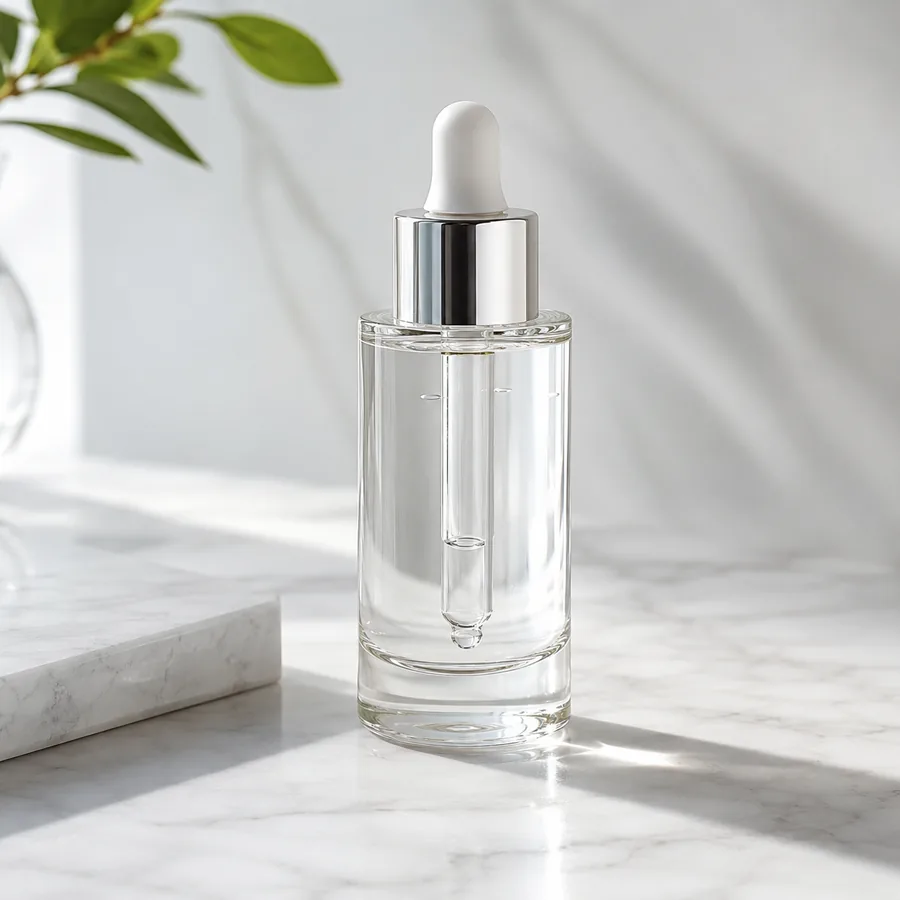
Marketing-ready product image
Start with your product image
Continue in the workspace to upload, generate, save, and reuse assets.
Upload a product photo or reference
JPG, PNG, WebP
Prompt direction
Turn this product reference into a premium ecommerce studio photo. Preserve the exact package shape, colors, label details, and proportions; use controlled softbox lighting, clean shadows, a neutral background, and no added text.
Output
Direct answer
AI product photography uses product references and prompts to create ecommerce-ready product scenes, listing images, ad creatives, and social visuals. Using AI for product photography helps sellers turn one source photo into multiple commercial directions faster, while keeping final review focused on product accuracy, buyer clarity, and channel requirements.
Product photography outputs for ecommerce growth
Listing-ready images
Create clean product visuals for product detail pages, marketplace listings, and category pages.
Campaign imagery
Generate seasonal, launch, and promotion visuals from the same product reference without starting a new shoot.
Reusable creative system
Keep prompts, references, and results connected so future product image batches are faster to produce.
Map AI product photography to ecommerce jobs
The strongest prompts start with the channel and buyer job, not just a style word.
Listing and marketplace images
Create clean product-first visuals that help shoppers understand shape, packaging, scale, and use case.
Brand storefront visuals
Generate product scenes for Shopify pages, collection banners, email modules, and campaign landing pages.
Ad and social creative
Turn product references into channel-specific creative directions for paid social, organic posts, and seasonal promotions.
AI product photography examples
Compare one fictional source product with three native AI-generated commercial directions.
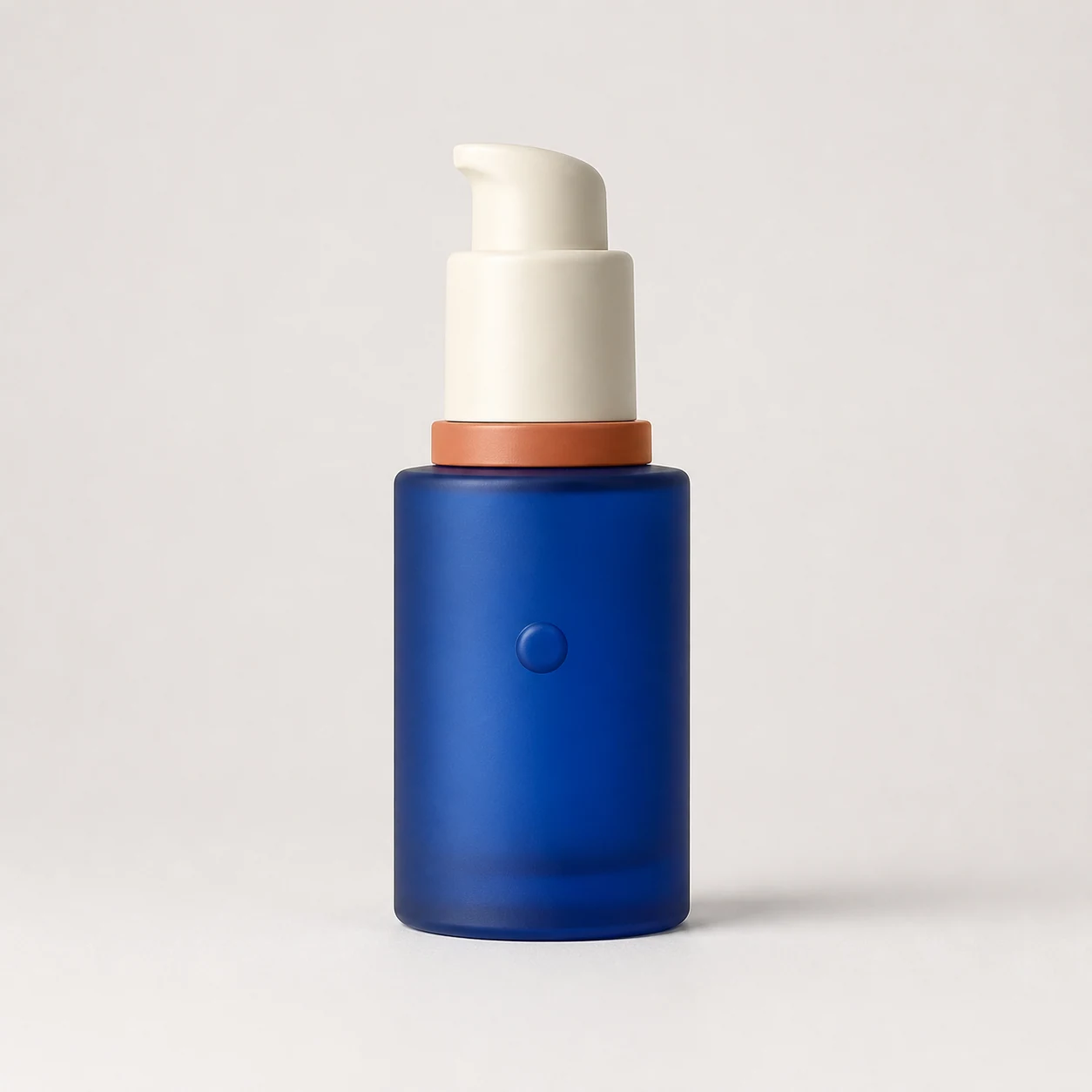
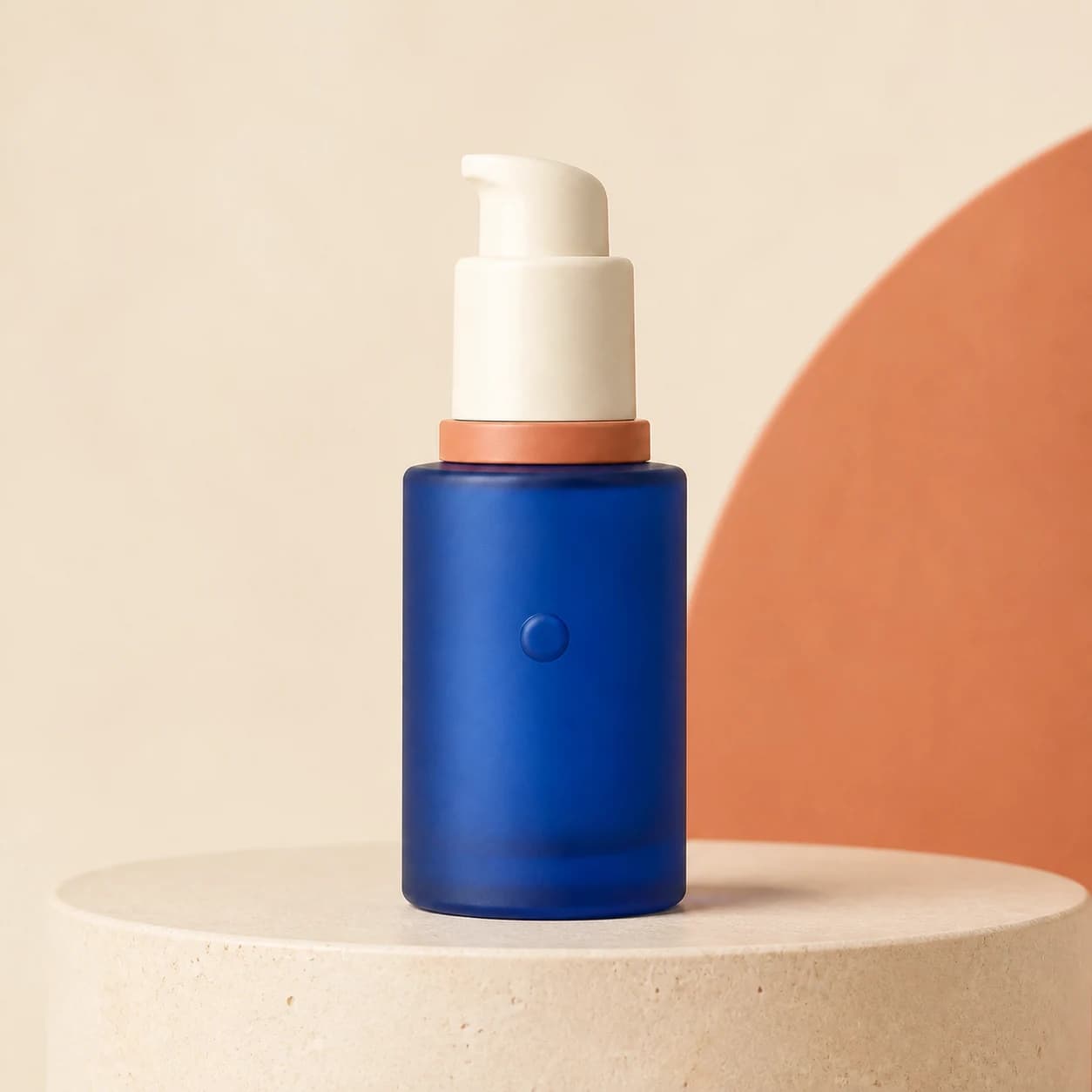
Studio product photo
Create crisp product photography with controlled lighting, clean shadows, and a commerce-first layout.
Prompt used
Use the uploaded product as the exact reference. Create a premium square studio photo with controlled softbox lighting, crisp reflections, a clean shadow, and sculptural neutral plinths. Preserve the package shape, colors, proportions, and front details. Do not add text or logos.
AI product photography prompt examples
Use prompts that combine product reference, scene, buyer context, and output channel.
Premium studio shot
Use the uploaded product as the exact reference. Create a premium square studio photo with controlled softbox lighting, crisp reflections, a clean shadow, and sculptural neutral plinths. Preserve the package shape, colors, proportions, and front details. Do not add text or logos.
Use this promptLifestyle commerce scene
Use the uploaded product as the exact reference. Place it in a refined bathroom vanity scene with soft natural window light, pale stone, subtle water details, and minimal spa props. Preserve the package shape, colors, proportions, and front details. Do not add text or logos.
Use this promptLaunch campaign set
Use the uploaded product as the exact reference. Create a bold square launch campaign with cobalt-blue and terracotta geometric plinths, dramatic controlled lighting, and premium cosmetics art direction. Preserve the package shape, colors, proportions, and front details. Do not add text or logos.
Use this promptSocial content variant
Create a mobile-first social post image with the product clearly visible, strong contrast, lifestyle context, and negative space for a short caption.
Use this promptAI product photography vs other options
Choose the workflow based on speed, control, realism, and how often your product visuals change.
AI product photography
Fast product-image variation from existing references for listings, ads, social content, and campaign exploration.
Fast and flexible, but final outputs need product-detail review.
Manual product shoot
Exact physical accuracy, regulated products, hero assets, packaging details, and brand campaigns with strict art direction.
Highest control, but slower and more expensive.
Generic AI image generator
Broad creative exploration when the exact ecommerce product, SKU, and publishing workflow are not the main concern.
Creative range, but weaker product-task focus.
Build a product photography workflow with AI
Use AI for variation speed while keeping the product and commercial task clear.
Start from product references
Upload the product photo or reference image that defines shape, packaging, and brand cues.
Pick the ecommerce output
Choose whether you need a listing image, lifestyle scene, ad creative, or social format.
Generate, save, and refine
Create final assets in the workspace, save usable results, and refine prompts for the next batch.
Best fit and limits
Best for
- Ecommerce teams that need frequent listing, ad, storefront, and social product visuals.
- Brands that already have product references and want faster creative variation.
- Sellers testing multiple visual angles before investing in a larger shoot or campaign.
- Creators who need consistent product-image systems across repeated launches.
Not best for
- Products where legal, medical, safety, or label accuracy must be exact without human review.
- Replacing every professional shoot for flagship assets that require strict art direction.
- Creating claims, certifications, usage results, or packaging details not present in the real product.
- Publishing outputs without checking marketplace rules, ad policies, and brand consistency.
Product photography quality checklist
Use AI speed for variation, then review the final image like any ecommerce asset.
Product recognizability
Check that the product shape, label, proportions, materials, and packaging still match the reference.
Buyer clarity
Make sure the image helps a buyer understand the product, not just admire the background.
Channel readiness
Confirm the image fits the placement: listing gallery, Shopify hero, ad creative, email banner, or social post.
Brand consistency
Review colors, props, lighting, and mood against your store, product line, and campaign direction.
AI product photography FAQ
What is AI product photography?
AI product photography uses product references and prompts to create ecommerce-ready scenes, product images, and marketing visuals.
How does product photography AI help ecommerce sellers?
Product photography AI turns one product reference into listing, lifestyle, ad, and social variants. It lets sellers use AI for product photos while keeping the product, channel, and buyer task clear.
Can I create multiple styles from one product image?
Yes. Start with one product reference, then iterate prompts and ratios to create listing, lifestyle, ad, and social variants.
When should I still use a manual product shoot?
Use a manual shoot when you need exact physical accuracy, regulated product details, strict art direction, or flagship campaign assets that require full production control.
How should I review AI product photos before publishing?
Check product identity, label accuracy, platform rules, ad policies, brand consistency, shadows, background details, and whether the image clearly supports the buyer decision.
More ecommerce image workflows
Improve existing product photos with focused editing prompts.
AI product photography freeTry a free-trial path before scaling product image generation.
HomepageSee image2img's ecommerce product image generator positioning.
AI ghost mannequin photographyTurn flat garment photos into invisible-mannequin front and back views.
AI clothing product photographyShaped apparel views from flat garment photos.
AI cosmetic product photographyPremium beauty scenes from one bottle photo.
AI jewelry product photographyLuxury jewelry views with controlled reflections.
AI shoe product photographyPair shots and street scenes from one sneaker photo.
AI Amazon product photographyListing heroes and lifestyle support images.