AI Ghost Mannequin Photography for Apparel Sellers
Turn flat garment photos into invisible-mannequin product shots without booking a photoshoot.
Use image2img for AI ghost mannequin photography: upload a flat-lay or hanger photo of a garment, generate invisible-mannequin front, back, and lifestyle views, and continue in the workspace.
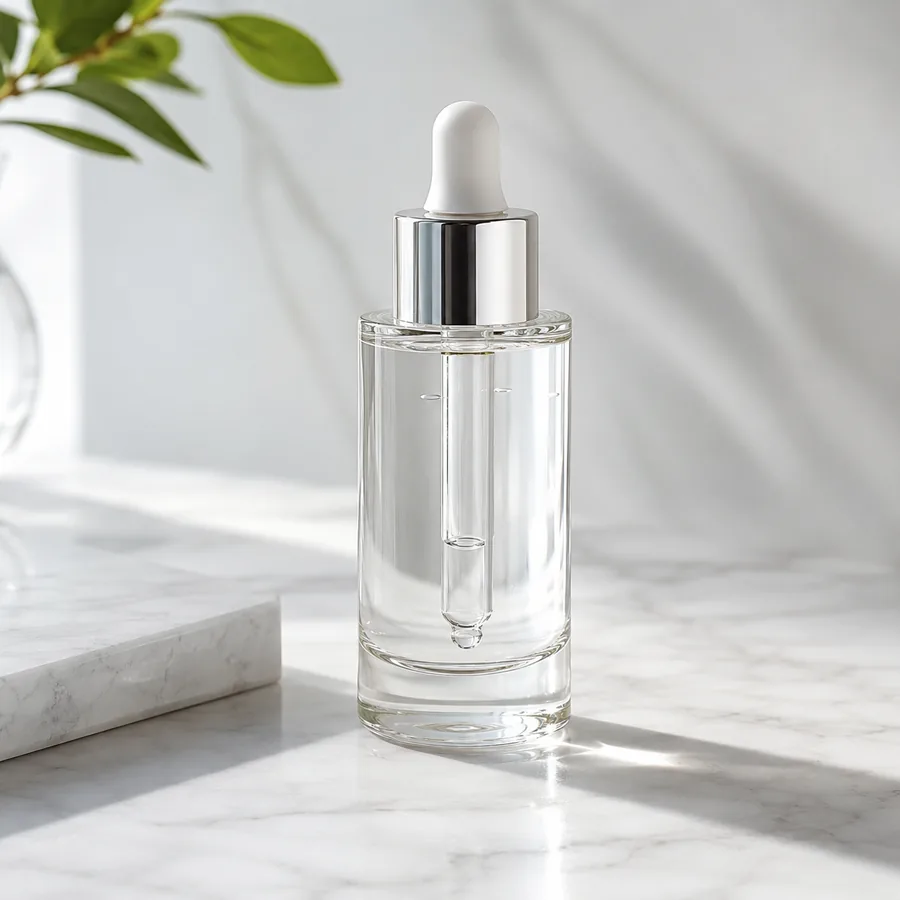
Marketing-ready product image
Start with your product image
Continue in the workspace to upload, generate, save, and reuse assets.
Upload a product photo or reference
JPG, PNG, WebP
Prompt direction
Turn this flat-lay t-shirt into a ghost mannequin product photo. Keep the exact fabric color, heather texture, collar style, and proportions; give the garment natural 3D volume with a hollow neckline, soft studio lighting, and a clean neutral background with no person.
Output
Direct answer
Ghost mannequin photography shows a garment as if worn by an invisible model, so buyers see the fit, shape, and details without a person in the frame. An AI ghost mannequin workflow turns a flat-lay, hanger, or supplier photo into invisible-mannequin front, back, and lifestyle views, letting apparel sellers produce consistent catalog images without mannequins, models, or studio time.
Ghost mannequin outputs apparel sellers reuse every season
Consistent catalog views
Generate front, back, and styled views of the same garment so every listing gallery looks like one shoot.
No mannequin or model costs
Skip physical mannequins, models, and studio bookings when a clean invisible-mannequin look is enough.
Faster season refreshes
Turn new supplier photos into on-brand product views the same day samples arrive.
Map each garment to the views your listing needs
Start from one flat or hanger photo and generate the views your marketplace gallery is missing.
Front ghost mannequin view
Give a flat-lay photo natural 3D volume so shoppers can read the fit and silhouette of the garment.
Back and detail views
Generate the back view and close-up details such as collars, seams, and prints without re-shooting.
Lifestyle context views
Place the invisible-mannequin garment in a bright interior or scene for lookbooks, ads, and social posts.
AI ghost mannequin examples
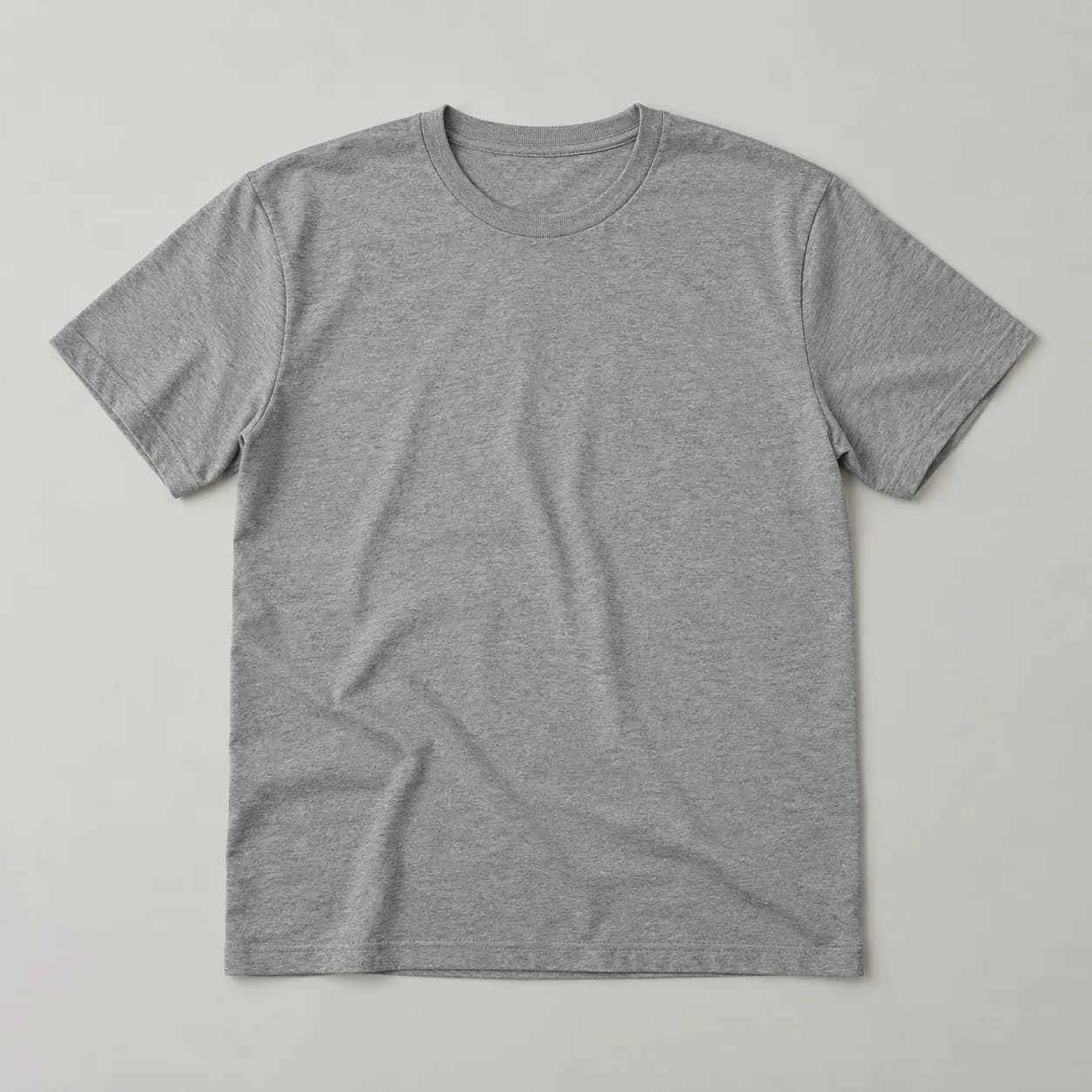
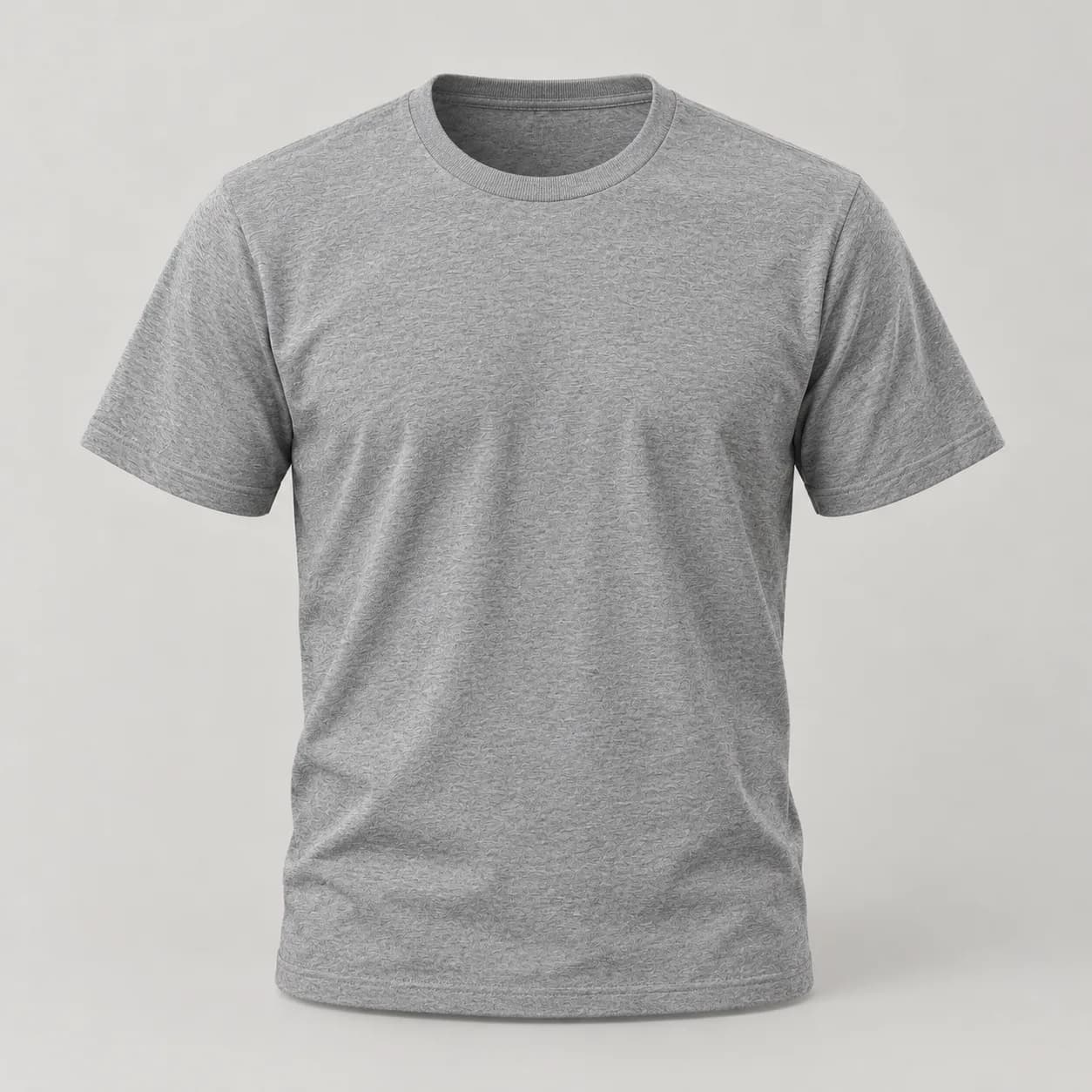
Compare one fictional source garment photo with three invisible-mannequin directions generated from it.
Front ghost mannequin view
A flat-lay t-shirt becomes a shaped invisible-mannequin front view with a hollow neckline.
Prompt used
Use the uploaded flat-lay photo as the exact garment reference. Display the shirt as if worn by an invisible mannequin, front view, with natural 3D volume and a hollow neckline revealing the inside back collar. Preserve the fabric color, heather texture, collar style, and proportions. Soft studio lighting on a neutral seamless background. Do not add text, logos, or people.
Ghost mannequin prompt examples
Use prompts that pin the fabric, collar, and proportions before the view and scene.
Front view from flat-lay
Use the uploaded flat-lay photo as the exact garment reference. Display the shirt as if worn by an invisible mannequin, front view, with natural 3D volume and a hollow neckline revealing the inside back collar. Preserve the fabric color, heather texture, collar style, and proportions. Soft studio lighting on a neutral seamless background. Do not add text, logos, or people.
Back view
Use the uploaded ghost mannequin photo as the exact garment reference. Generate the matching back view of the same shirt with the same volume, collar seam, fabric color, and proportions. Soft studio lighting on a neutral seamless background. Do not add text, logos, or people.
Lifestyle scene
Use the uploaded ghost mannequin photo as the exact garment reference. Place the invisible-mannequin shirt in a bright minimal interior with warm window light and soft shadows. Preserve the fabric color, texture, collar, and proportions. Do not add text, logos, or people.
Detail close-up
Use the uploaded ghost mannequin photo as the exact garment reference. Create a close-up of the collar and stitching that keeps the fabric texture and color identical. Do not add text, logos, or people.
How the AI ghost mannequin workflow works
A focused path from one garment photo to a full view set.
Upload the garment photo
Start from a flat-lay, hanger, or supplier photo where the shape, collar, and fabric are clearly visible.
Describe the views you need
Ask for the front, back, detail, or lifestyle treatment while pinning fabric, color, and proportions.
Generate and complete the gallery
Continue in the workspace to generate the view set, review results, and save consistent catalog assets.
Best fit and limits
Best for
- Apparel sellers who need invisible-mannequin galleries without mannequins, models, or studio bookings.
- Turning flat-lay, hanger, or supplier photos into shaped front, back, and lifestyle views.
- Marketplace and Shopify listings that need consistent multi-angle garment images.
- Small apparel teams refreshing seasonal catalogs from new sample photos.
Not best for
- Garments where exact fabric drape on a real body must be documented, such as fit-critical technical wear.
- Replacing on-model photography when size, stretch, or movement on a person drives the buying decision.
- Guaranteeing every tiny label, stitch, or print detail survives generation without inspection.
- Publishing outputs without checking marketplace image rules and brand consistency.
Check the ghost mannequin result before you publish
Invisible-mannequin images still need human review like any ecommerce asset.
Garment identity
Confirm the color, texture, collar, proportions, and prints still match the real garment.
Natural volume
Check that the 3D shape looks worn, not inflated, and the hollow neckline reads correctly.
View consistency
Compare front, back, and lifestyle views so the same garment does not change between shots.
Channel readiness
Check crops, backgrounds, and ratios against your marketplace or storefront image rules.
AI ghost mannequin photography FAQ
What is ghost mannequin photography?
Ghost mannequin photography shows a garment as if worn by an invisible model, so buyers see fit, shape, and details with no person or mannequin in the frame.
Can AI create ghost mannequin photos from a flat-lay?
Yes. Upload a flat-lay, hanger, or supplier photo and describe the invisible-mannequin view you need. The workflow generates shaped front, back, and lifestyle views from the same garment reference.
Will the garment stay identical to my source photo?
The workflow pins fabric color, texture, collar, and proportions from your reference, but always review results. AI can alter small details, so check every image before publishing.
Do I still need on-model photos?
For size, stretch, and movement on a real body, on-model photos still do work ghost mannequin views cannot. Use both when fit is the buying decision.
Does generation spend credits before I sign in?
No. Public pages route you to the authenticated workspace before paid provider generation runs.
Related apparel and product image pages
See the full AI product photography workflow for ecommerce sellers.
AI product photo editorImprove existing garment photos with focused editing prompts.
AI product photography freeTry a free-trial path before scaling apparel image generation.
AI clothing product photographyShaped apparel studio and lifestyle views from flat garment photos.