AI Shoe Product Photography for Ecommerce Sellers
Turn one sneaker photo into pair shots, angle sets, and street-context views.
Use image2img for AI shoe product photography: upload a single-shoe photo, generate consistent pair shots and lifestyle scenes, and continue in the workspace.
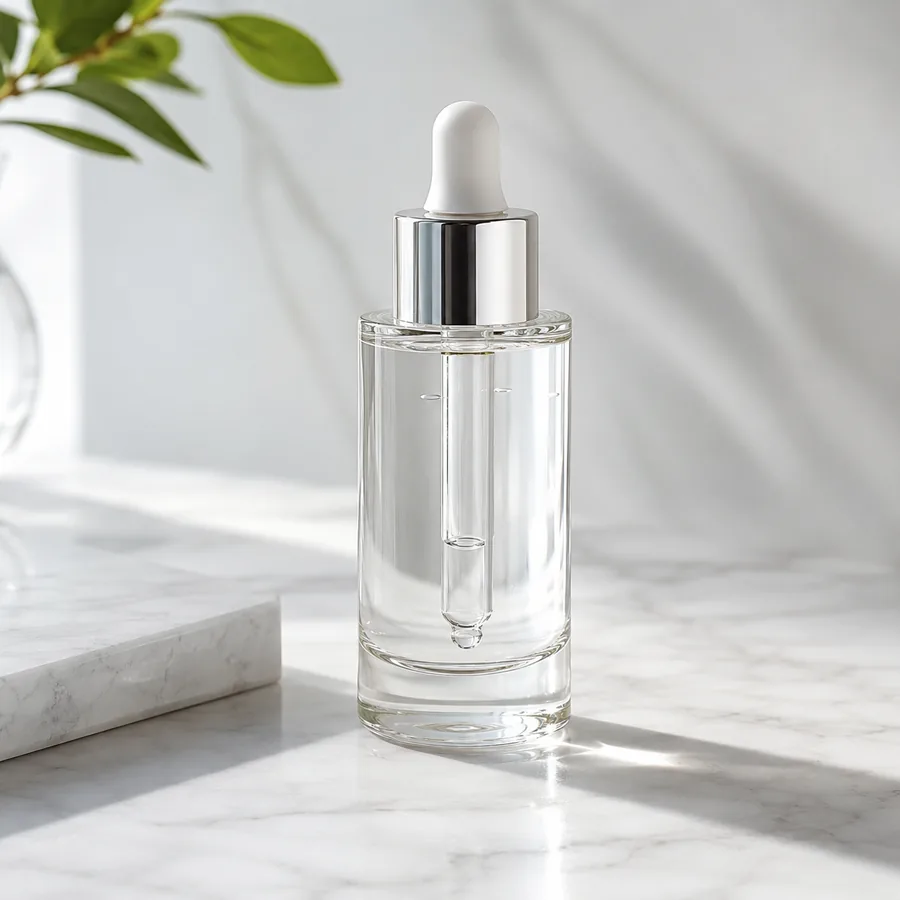
Marketing-ready product image
Start with your product image
Continue in the workspace to upload, generate, save, and reuse assets.
Upload a product photo or reference
JPG, PNG, WebP
Prompt direction
Use the uploaded sneaker photo as the exact product reference. Create a premium studio product shot of a pair of the same white leather low-top sneakers, one slightly behind the other, on a light neutral seamless background with soft controlled lighting and a gentle floor shadow. Preserve the exact shoe shape, proportions and clean unbranded design. No text, no logos, no people.
Output
Direct answer
Shoe product photography has a specific grammar: buyers expect a clean side view, a pair shot, sole and heel details, and one lifestyle context. An AI shoe workflow turns one single-shoe photo into that full angle set while preserving the exact silhouette, proportions, and unbranded design, so footwear sellers can build complete galleries without reshooting every angle.
Shoe photography outputs sellers reuse every release
Consistent pair shots
Turn a single-shoe photo into matched pair views for the main gallery slot.
Full angle coverage
Generate side, three-quarter, heel, and sole-adjacent views from one reference.
Street-ready contexts
Place the same pair in urban scenes for ads and social without a location shoot.
Map each shoe to the views your listing needs
Start from one single-shoe photo and generate the angle set your gallery is missing.
Pair studio shot
Generate matched pair views with consistent light and floor shadow.
Detail close-ups
Create heel, texture, and stitching close-ups that keep the original design.
Street lifestyle scenes
Place the same pair on concrete, steps, or pavement in warm natural light.
AI shoe product photography examples
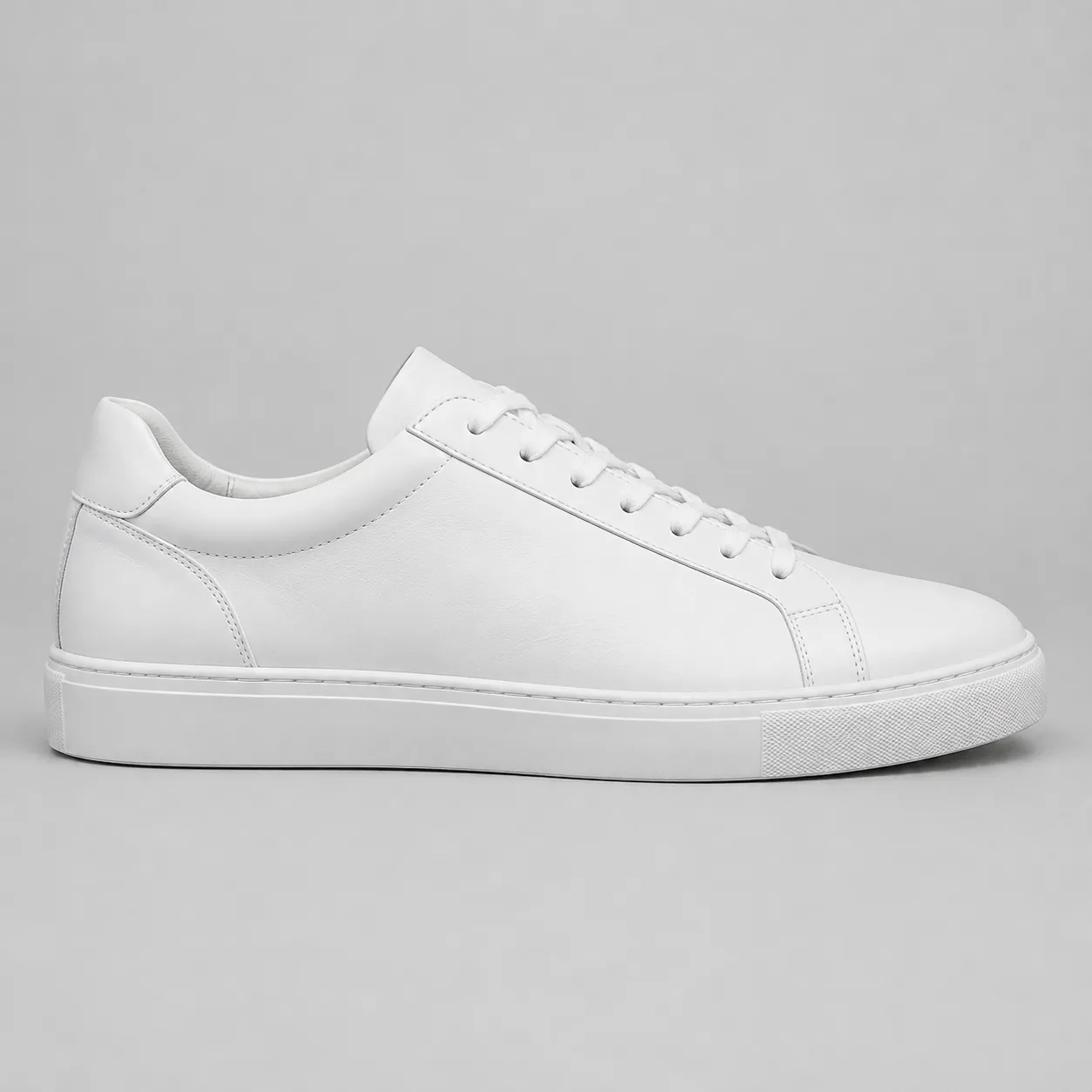
Compare one fictional source sneaker photo with pair and street directions generated from it.
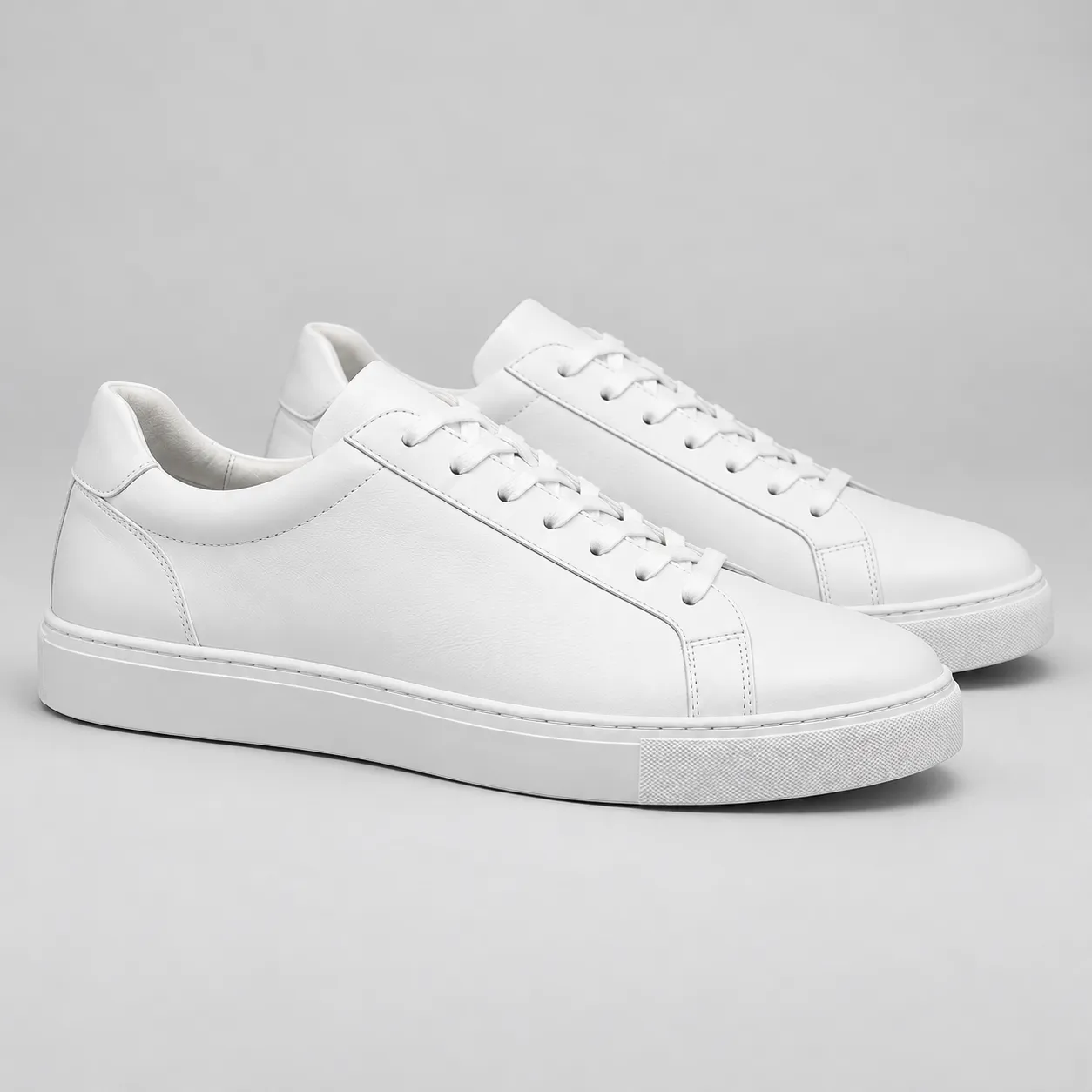
Pair studio shot
The single sneaker becomes a matched pair shot with clean studio light.
Prompt used
Use the uploaded sneaker photo as the exact product reference. Create a premium studio shot of a pair of the same white leather low-top sneakers, one slightly behind the other, on a light neutral seamless background with soft lighting and a gentle floor shadow. Preserve the exact shape, proportions, and unbranded design. Do not add text, logos, or people.
Clothing photography prompt examples
Use prompts that pin the wash, stitching, and proportions before the view and scene.
Pair studio shot
Use the uploaded sneaker photo as the exact product reference. Create a premium studio shot of a pair of the same white leather low-top sneakers, one slightly behind the other, on a light neutral seamless background with soft lighting and a gentle floor shadow. Preserve the exact shape, proportions, and unbranded design. Do not add text, logos, or people.
Street lifestyle scene
Use the uploaded sneaker photo as the exact product reference. Show a pair of the same sneakers on smooth concrete steps in warm late-afternoon light with soft long shadows. Preserve the exact shape and unbranded design. Do not add text, logos, or people.
Heel detail close-up
Use the uploaded sneaker photo as the exact product reference. Create a close-up of the heel and stitching keeping the design and proportions identical. Do not add text, logos, or people.
Three-quarter angle
Use the uploaded sneaker photo as the exact product reference. Show a single shoe from a three-quarter angle on the same neutral background, preserving shape and design. Do not add text, logos, or people.
How the AI shoe photography workflow works
A focused path from one single-shoe photo to a complete gallery.
Upload the garment photo
Start from a flat-lay, hanger, or supplier photo where shape, collar, and fabric are clearly visible.
Describe the views you need
Ask for shaped, detailed, or styled treatments while pinning color, wash, and proportions.
Generate and build the gallery
Continue in the workspace to generate the set, review results, and save consistent apparel assets.
Best fit and limits
Best for
- Footwear sellers who need full angle galleries without reshooting every view.
- Turning one single-shoe photo into consistent pair shots and detail views.
- Marketplace and storefront listings that need side, pair, and lifestyle coverage.
- Small brands releasing colorways faster than studio schedules allow.
Not best for
- Guarantee that logos and trademarks stay accurate; keep reference shoes unbranded or expect to review branding carefully.
- Fit-critical documentation where exact last shape must match a size chart.
- Publishing outputs without checking sole and heel details at full zoom.
- Replacement for orthopedic or technical footwear documentation.
Check the cosmetic photo before you publish
AI beauty images still need human review like any campaign asset.
Shoe identity
Confirm silhouette, proportions, and materials still match the real product.
Pair consistency
Check left and right shoes match in shape, color, and wear level.
Detail review
Inspect sole, heel, and stitching close-ups carefully at full zoom.
Channel readiness
Check angles and crops against your marketplace's footwear image conventions.
AI clothing product photography FAQ
Can AI create a pair shot from a single shoe photo?
Yes. Upload one single-shoe photo and the workflow generates matched pair views while preserving the silhouette, proportions, and design.
Which angles should a shoe listing cover?
Most footwear galleries use a clean side view, a pair shot, a heel or sole detail, and one lifestyle context. Generate all of them from the same reference for consistency.
What about branded shoes?
The workflow is safest with unbranded references. If you shoot branded products, expect to review trademark details carefully in every generated view.
Will the white stay white?
The workflow pins color and material from your reference, but lighting scenes can shift tones. Compare views side by side and review before publishing.
Does generation spend credits before I sign in?
No. Public pages route you to the authenticated workspace before paid provider generation runs.